
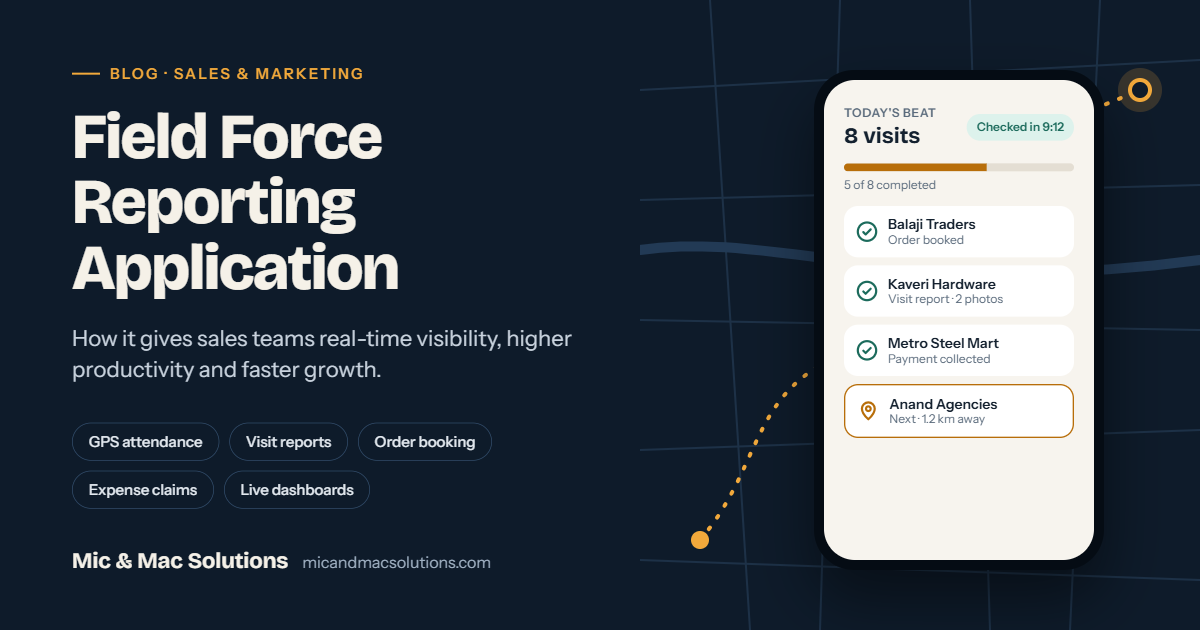
What is a field force reporting application?
A field force reporting application is a mobile and web app that lets sales and marketing teams report their daily field work — attendance, customer visits, orders, collections and expenses — in real time. Managers see everything on a live dashboard instead of waiting for calls, WhatsApp messages or Excel sheets at the end of the day.
For any company whose revenue depends on people in the field — sales executives, medical reps, merchandisers, dealers' coordinators or service engineers — this visibility changes how the business runs. You stop asking "Where is my team and what did they do today?" and start asking "What should they do next to close more business?"
In this guide, we explain how a field force reporting application works, the problems it solves, the benefits sales and marketing companies get from it, and how to choose the right one for your business.
The problem: managing a field team without a reporting app
Most growing sales organisations still run their field team on phone calls, paper diaries and spreadsheets. It works with five people. It breaks with fifty. Here are the problems we see most often:
- No visibility of field activity. Managers cannot confirm whether a salesperson actually visited a dealer or just called from home.
- Late and inaccurate reports. Daily sales reports arrive at night, are typed from memory, and are often incomplete.
- Proxy attendance and false claims. Without GPS or selfie verification, attendance and travel allowance claims are hard to trust.
- Lost orders and follow-ups. Orders written on paper or sent over WhatsApp get missed, delayed or entered wrongly in the billing system.
- Slow expense settlement. Accounts teams spend days checking bills and kilometre claims by hand.
- No data for decisions. Leadership cannot see which territory, product or salesperson is performing, so targets and incentives are based on guesswork.
- Knowledge walks out the door. When a salesperson leaves, their customer relationships and visit history leave with them.
A field force reporting application solves each of these by moving field reporting from memory to a mobile app, at the moment the work happens.
Key features of a field force reporting application
A good field force reporting app combines a mobile app for the field team with a web dashboard for managers and admins. These are the features that matter most:
|
Feature |
What it does |
|---|---|
|
GPS attendance (check-in / check-out) |
Marks attendance with location, time and optional selfie, so proxy attendance is eliminated |
|
Live location and route tracking |
Shows where each salesperson is and the route travelled during working hours |
|
Beat / journey plan |
Assigns daily or weekly visit plans to each executive and tracks planned vs actual visits |
|
Visit reporting |
Captures visit purpose, discussion notes, photos, next action and follow-up date at the customer location |
|
Order booking |
Takes orders from dealers, distributors and retailers with product catalogue, price list and schemes |
|
Payment collection |
Records cheque, cash and UPI collections against outstanding invoices |
|
Expense and TA/DA claims |
Auto-calculates travel distance and allowances, with bill photos for approval |
|
Lead and enquiry management |
Logs new leads from the field and tracks them to conversion |
|
Target vs achievement |
Shows sales targets and progress for each person, territory and product |
|
Merchandising and competitor tracking |
Captures shelf photos, display compliance, stock levels and competitor activity |
|
Leave and approval workflows |
Handles leave, expense and discount approvals from the mobile app |
|
Reports and dashboards |
Daily sales reports, MIS, territory performance and exportable reports for management |
|
Offline mode |
Works in low-network areas and syncs when the connection returns |
|
ERP / CRM integration |
Pushes orders, customers and collections into Tally, SAP or your existing ERP |
12 benefits of a field force reporting application for sales and marketing companies
1. Real-time visibility of your entire field team
Managers see who is working, where they are, and which customers they have met — live, from a phone or laptop. No more end-of-day calls to check status.
2. Higher field productivity
With planned beats and optimised routes, salespeople cover more customers per day with less travel. Time saved on paperwork goes back into selling.
3. Accurate, instant daily sales reports
Visits, orders and collections are recorded at the customer location, with time stamps and GPS. Reports are ready automatically — nobody has to type them at night.
4. Faster order-to-invoice cycle
Orders booked in the app reach the back office instantly. Dispatch and billing start the same day, which improves service and cash flow.
5. Genuine attendance and fewer false claims
GPS and selfie-based check-in stops proxy attendance. Distance-based travel allowance removes inflated kilometre claims.
6. Quicker, transparent expense settlement
Expenses come with bill photos and system-calculated distance. Managers approve from their phone, and accounts teams settle in days, not weeks.
7. Better customer relationships
Every visit, discussion and complaint is stored against the customer. Any salesperson can pick up the history, and follow-ups are never missed.
8. Data-driven decisions for sales leadership
Dashboards show performance by salesperson, territory, product and channel. You can spot weak territories early, reward top performers fairly and plan targets on real numbers.
9. Stronger marketing execution
Marketing teams get photo proof of branding, displays and scheme communication at each outlet. Campaign results can be measured outlet by outlet.
10. Improved collections and reduced outstanding
Salespeople see pending invoices before each visit and record collections on the spot. Finance gets a live view of receivables.
11. A motivated, accountable team
When targets, achievements and incentives are visible in the app, salespeople know exactly where they stand. Good work gets noticed, and disputes about numbers drop.
12. Scalable growth
Adding new territories, distributors or salespeople no longer means adding more coordinators and spreadsheets. The system scales with your business.
Which industries benefit from field force reporting?
Any business with a team that sells, promotes or services outside the office can benefit. Common use cases include:
|
Industry |
How the app is used |
|---|---|
|
Steel and building materials |
Dealer and contractor visits, project leads, site follow-ups, order booking |
|
Windows, doors and fenestration |
Architect and builder meetings, site measurements, quotation follow-ups |
|
FMCG and consumer goods |
Retail beat plans, order booking, merchandising, scheme tracking |
|
Distribution and trading |
Distributor and retailer orders, collections, stock checks |
|
Pharma and healthcare |
Doctor visits (MR reporting), sample tracking, chemist orders |
|
Consumer durables and electronics |
Dealer network management, display audits, service visits |
|
Agri inputs and fertilisers |
Farmer meetings, dealer orders, demo plots |
|
Paints, tiles and sanitaryware |
Painter/contractor loyalty, dealer visits, showroom audits |
How to choose the right field force reporting application
Not every app fits every business. Before you decide, check these seven points:
- Fit to your sales process. Your dealer, distributor or project-sales workflow is unique. Prefer a solution that can be configured or customised, not one that forces you to change how you sell.
- Ease of use for field staff. If the app is hard to use, salespeople will not use it. Look for a simple interface, local-language support and offline mode.
- Manager dashboards and reports. Check that the reports your management actually reviews — DSR, MIS, target vs achievement — are available out of the box.
- Integration with your ERP or accounting system. Orders and collections should flow into Tally, SAP or your ERP without re-entry.
- Data security and ownership. Ask where data is hosted, how it is backed up, and whether you can export it.
- Local support and implementation. A vendor who trains your team and supports you in your time zone makes adoption much faster.
- Total cost of ownership. Compare per-user subscription, customisation and support costs over three years, not just the first-year price.
Why choose Mic & Mac for your field force reporting application
Mic & Mac Solutions is a Chennai-based software company that has been building field force reporting, CRM, SFA and ERP solutions for SME and mid-market businesses since 2013. Our field force reporting products, FEP and SEP, are running at 7+ companies across steel, fenestration, FMCG and distribution.
What makes us different:
- Built around your process. We configure and customise the app to match how your team actually sells — no forced workflows.
- Mobile + web in one platform. A fast mobile app for the field team and a powerful dashboard for managers.
- ERP and CRM integration. Orders, customers and collections flow into your existing systems.
- Local implementation and support. Our in-house team of web and mobile developers handles setup, training and ongoing support.
- Proven in demanding industries. From steel dealers to FMCG retail beats, our solution is proven with real field teams.
Ready to see what your field team is really doing — and how much more they can achieve? Book a free demo of our field force reporting application today.
Frequently asked questions
What is a field force reporting application?
It is a mobile and web application that lets field sales and marketing staff report attendance, visits, orders, collections and expenses in real time, while managers track activity and performance on a live dashboard.
How is a field force reporting app different from a CRM?
A CRM manages customer relationships and the sales pipeline. A field force reporting app focuses on field activity — who went where, what they did and what they sold. The best solutions combine both, so field activity updates customer records automatically.
Is a field force app the same as sales force automation (SFA)?
They overlap heavily. SFA is the broader term for automating sales tasks; field force reporting is the part of SFA focused on field team activity and reporting.
Does the app work without internet?
A good field force app has offline mode. Salespeople can record visits and orders in low-network areas, and data syncs when the connection returns.
Will tracking make my sales team uncomfortable?
Location is tracked only during working hours, after check-in. When the team sees that the app also cuts paperwork, speeds up expense payments and makes incentives transparent, adoption is usually quick.
How long does implementation take?
A standard setup can go live in a few weeks. Customised workflows and ERP integration take longer, depending on scope.
Can it integrate with Tally or our existing ERP?
Yes. Orders, customers, invoices and collections can be synced with Tally, SAP and most ERPs through integration.